

Key Takeaway
Discover pin definitions, 3D models, thermal specs, and mode details for Advantech MXM graphics cards. Access all via product page links!
Q1:How can the pin definition information for Advantech MXM graphics cards be obtained?
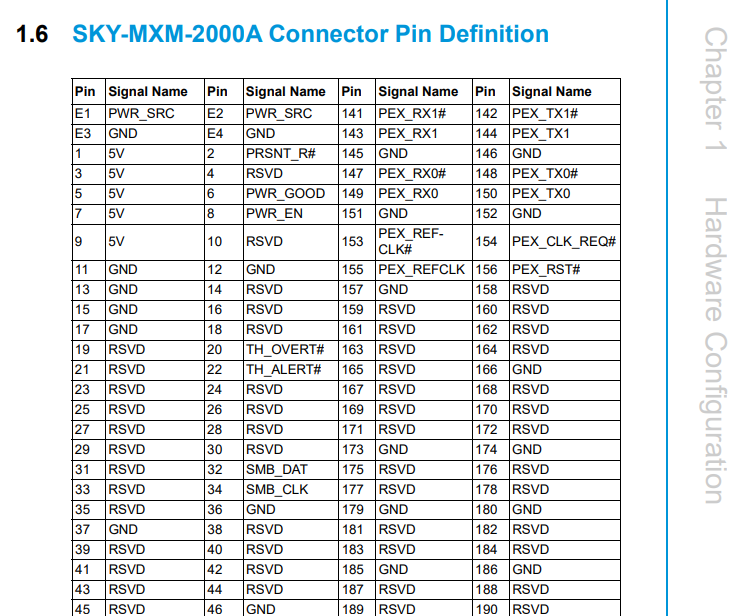
The pin definition information for Advantech MXM graphics cards is provided in the User Manual, which can be accessed via the Technical Documents Download link on the product page.
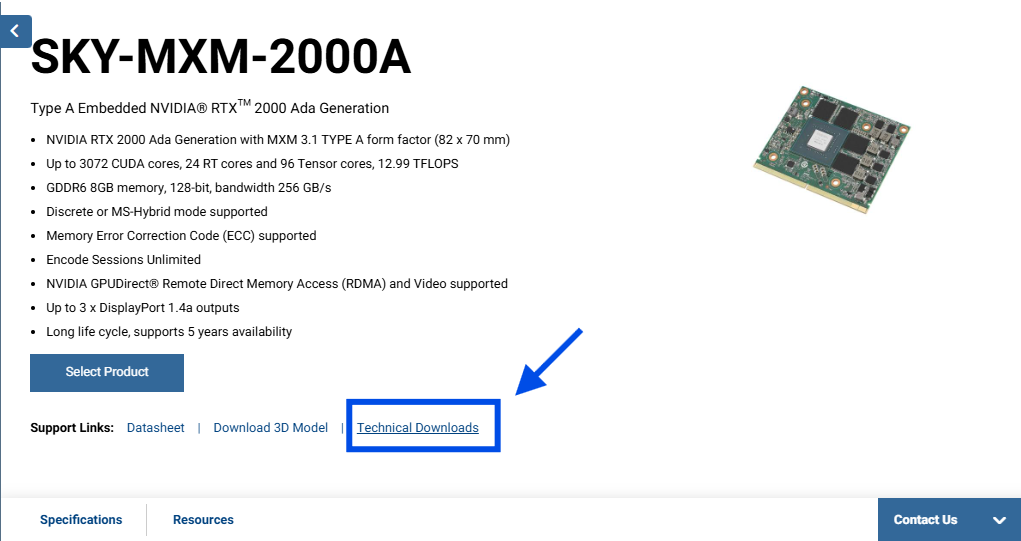
S1. Go to the product page and click "technical downloads".
S2. Click Manual for Product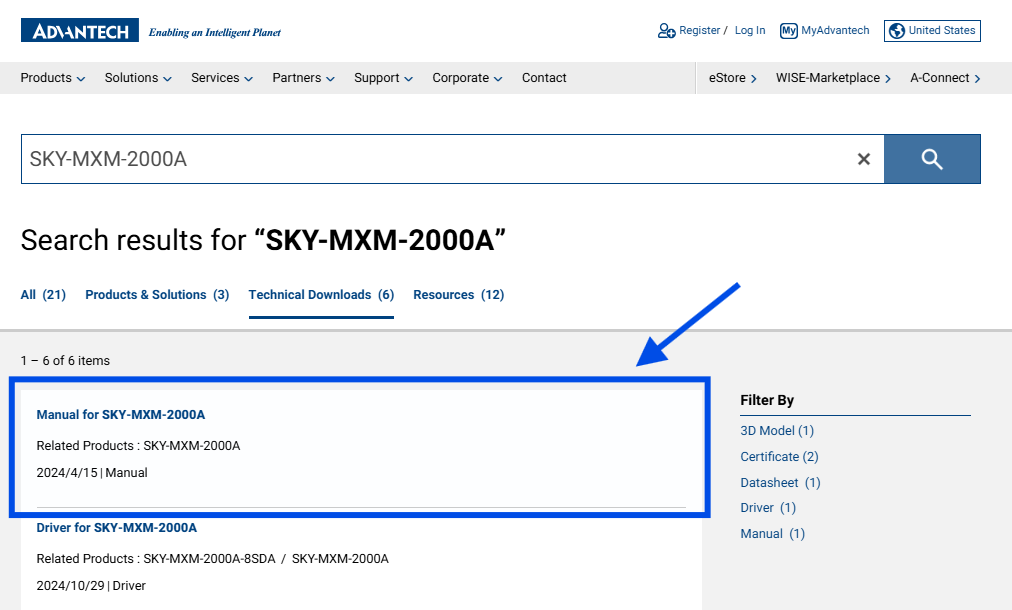
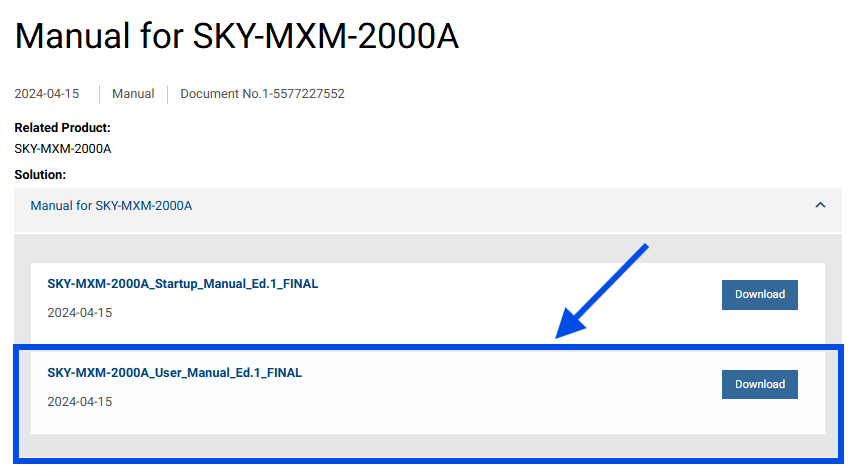
S3. Download the user manual
S4. You can find the pin definition information in section 1.6
Q2:How can 3D models of Advantech MXM graphics cards be obtained?
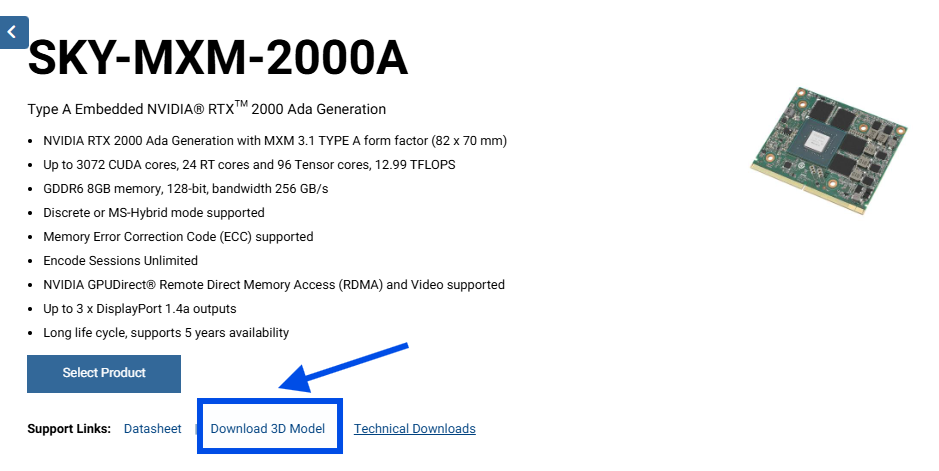
Complete 3D models of the MXM graphics card, including both standalone models and configurations with cooling modules, are available via the Download 3D Model link on the product page.
Q3:For customers designing custom carrier boards or complete systems, how can thermal-related information for MXM graphics cards be obtained?
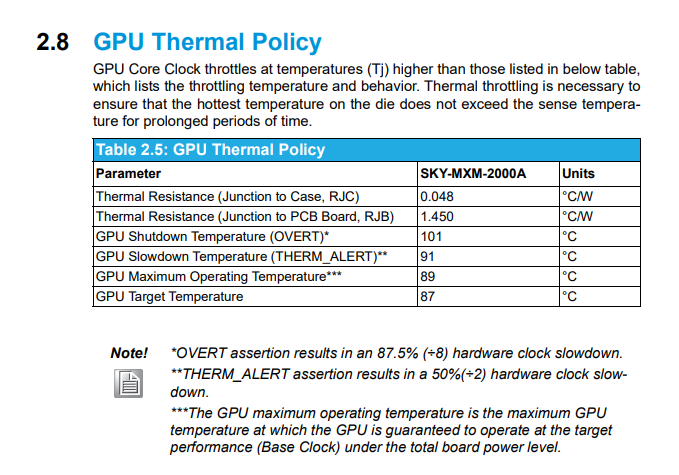
Thermal-related specifications and guidelines for MXM graphics cards are provided in the User Manual, accessible via the Technical Documents Download link on the product page.
S1. Go to the product page and click "technical downloads".
S2. Click Manual for Product
S3. Download the User Manual
S4. Thermal-related information can be found in Section 2.8
Q4:What is the difference between Discrete Mode and MS-Hybrid Mode for the same model of Advantech MXM graphics card? Can these modes be switched on the same card?
In Discrete Mode, the MXM card provides full display output signals through the designated MXM pins. In MS-Hybrid Mode, the display output of the MXM card is disabled, and graphics rendering is handled by the system iCPU.
Although mode switching is possible on the same MXM card, it requires specific vBIOS versions and hardware modifications. For mode switching, please consult your Advantech contact.